
Last updated on
Oct 31, 2026
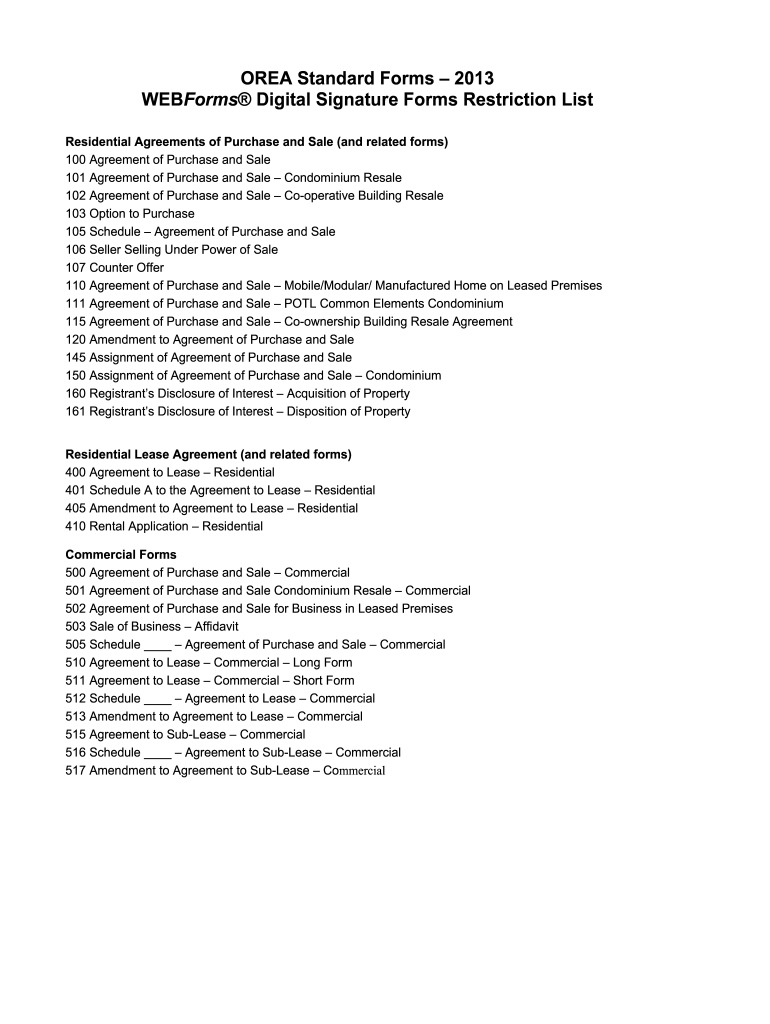
Canada OREA Standard Forms 2013 free printable template
We are not affiliated with any brand or entity on this form

Fill out
Complete the form online in a simple drag-and-drop editor.

eSign
Add your legally binding signature or send the form for signing.

Share
Share the form via a link, letting anyone fill it out from any device.

Export
Download, print, email, or move the form to your cloud storage.
Why pdfFiller is the best tool for your documents and forms


End-to-end document management
From editing and signing to collaboration and tracking, pdfFiller has everything you need to get your documents done quickly and efficiently.
Accessible from anywhere
pdfFiller is fully cloud-based. This means you can edit, sign, and share documents from anywhere using your computer, smartphone, or tablet.
Secure and compliant
pdfFiller lets you securely manage documents following global laws like ESIGN, CCPA, and GDPR. It's also HIPAA and SOC 2 compliant.
What is Canada OREA Standard Forms
The OREA Standard Forms 2013 is a collection of real estate documents used by buyers and sellers in Ontario to facilitate property transactions.
pdfFiller scores top ratings on review platforms




Who needs Canada OREA Standard Forms?
Explore how professionals across industries use pdfFiller.

Canada OREA Standard Forms is needed by:
-
Real estate buyers in Ontario
-
Real estate sellers in Ontario
-
Real estate agents facilitating transactions
-
Lawyers handling real estate deals
-
Property investors looking for purchase agreements
-
Landlords needing lease agreements
-
Homeowners selling residential properties
Comprehensive Guide to Canada OREA Standard Forms
What are the OREA Standard Forms 2013?
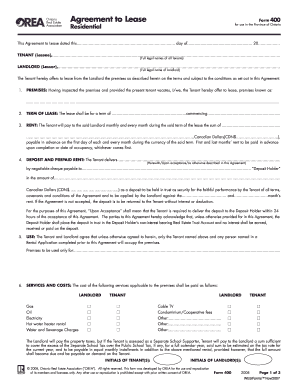
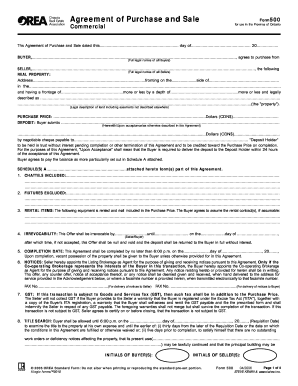
The OREA Standard Forms 2013 consist of essential real estate sale forms used in Ontario. These forms, including the Agreement of Purchase and Sale, play a crucial role in real estate transactions by standardizing documentation for buyers and sellers. They encompass templates that cater to both residential and commercial transactions, ensuring clarity and compliance throughout the process.
Employing these standardized forms significantly minimizes confusion and provides a legal framework for transactions, which is invaluable in maintaining order and transparency in the real estate market.
Purpose and Benefits of Using OREA Standard Forms 2013
The primary benefits of using these forms include their ability to clearly articulate terms and conditions during real estate transactions. By utilizing OREA Standard Forms 2013, both buyers and sellers can effectively minimize potential legal disputes that arise from misunderstandings.
Additionally, the standardized nature of these forms streamlines the real estate dealings in Ontario, fostering a more efficient process that can enhance the overall experience for all parties involved.
Key Features of OREA Standard Forms 2013
OREA Standard Forms 2013 offer various templates designed to meet the diverse needs of real estate visitors. Among their key features are:
-
A collection of templates tailored for both residential and commercial transactions.
-
Instructions and checkboxes embedded to facilitate ease of use for all parties involved.
-
Necessary requirements for signatures from both the buyer and seller, ensuring that all agreements are properly authorized.
Who Needs the OREA Standard Forms 2013?
The primary audiences for OREA Standard Forms 2013 include:
-
Buyers and sellers involved in real estate transactions within Ontario.
-
Real estate agents and brokers who require standardized documentation to streamline client dealings.
-
Legal professionals who provide guidance and advice to clients on real estate matters pertaining to transactions.
How to Fill Out the OREA Standard Forms 2013 Online
Completing the OREA Standard Forms 2013 online can be accomplished effectively by following these steps:
-
Access and locate the forms through pdfFiller.
-
Edit the forms by entering the required information accurately in each designated field.
-
Review all details thoroughly before submitting to ensure the information is correct.
How to Sign the OREA Standard Forms 2013
Signing the OREA Standard Forms 2013 involves understanding the distinctions between digital signatures and traditional wet signatures. Digital signatures provide a convenient and legitimate alternative through platforms like pdfFiller, ensuring the signing process is smooth and secure.
Once signed, it’s important to store these documents safely while adhering to best practices for handling sensitive information.
Where and How to Submit the OREA Standard Forms 2013
When it comes to submitting OREA Standard Forms 2013, users have several options available, including:
-
Online submissions through platforms like pdfFiller.
-
Fax options for those who prefer traditional methods.
-
Mail submissions, ensuring that all papers are sent to the correct addresses.
The submission process also includes adhering to specific deadlines, so it’s essential to be aware of the processing times for your documents.
Common Errors to Avoid When Using OREA Standard Forms 2013
When filling out the OREA Standard Forms 2013, it’s crucial to avoid common mistakes that can lead to issues later on. Some typical pitfalls include:
-
Neglecting required fields that may be critical for the legal validity of the form.
-
Inadequate double-checking of the information provided to ensure accuracy.
If errors are discovered after submission, knowing how to properly amend forms is vital to maintaining the integrity of the transaction.
Ensuring Security and Compliance with OREA Standard Forms 2013
Security is paramount when dealing with OREA Standard Forms 2013. pdfFiller employs robust security measures, including features like 256-bit encryption and compliance with standards such as SOC 2 Type II, HIPAA, and GDPR. Protecting sensitive information during the entire process is essential for instilling confidence in users.
Furthermore, it's important to maintain privacy practices while using online forms to ensure that personal and financial details remain confidential throughout the transaction process.
Enhance Your Experience with pdfFiller for OREA Standard Forms 2013
Leveraging pdfFiller to manage your OREA Standard Forms 2013 can greatly enhance your experience. The platform simplifies form management with powerful features that streamline the entire process.
User testimonials highlight success stories of individuals who have benefited from filling out these forms with pdfFiller, illustrating their effectiveness in facilitating real estate transactions seamlessly.
How to fill out the Canada OREA Standard Forms
-
1.To complete the OREA Standard Forms 2013 on pdfFiller, begin by accessing the platform and logging in to your account.
-
2.Navigate to the 'Templates' section and search for 'OREA Standard Forms 2013' to find the necessary documents.
-
3.Once located, open the form to start filling it out. Familiarize yourself with the layout of the interface.
-
4.Before you start filling in the forms, gather all essential information such as the property details, buyer and seller identification, and any specific terms related to the transaction.
-
5.Activate the fields by clicking on them and input the required information using your keyboard.
-
6.Utilize the checklist feature to ensure all needed sections and extra schedules are completed. This can help avoid missing important details.
-
7.Once you have filled in all the necessary fields, review the information for accuracy. Make sure that all names, addresses, and dates are correct.
-
8.Look out for any highlighted fields indicating required information you might have missed.
-
9.After confirming everything is accurate, you can save your work frequently to avoid losing any progress.
-
10.Finalize the document by signing electronically if required. Alternatively, use the provided checkboxes to indicate where physical signatures will be placed.
-
11.When you're satisfied with the final version, download the completed form to your device or submit it directly through pdfFiller.
-
12.Ensure to keep a copy for your records after submission.

Who is eligible to use the OREA Standard Forms 2013?
The OREA Standard Forms 2013 can be used by individuals entering into real estate transactions in Ontario, including buyers, sellers, and real estate professionals.
What types of forms are included in the OREA Standard Forms 2013?
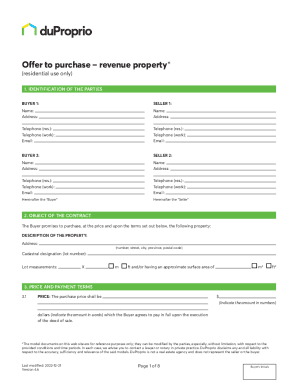
This collection includes various agreements such as the Agreement of Purchase and Sale, Option to Purchase, and Amendment to Agreement, tailored for both residential and commercial transactions.
How do I submit the completed forms?
Once filled out, completed forms can either be printed and signed physically or signed electronically on pdfFiller, then submitted according to your real estate deal's requirements.
Are there any common mistakes I should avoid when filling out these forms?
Common mistakes include missing required signatures, providing incorrect property details, and overlooking additional disclosures or schedules that are necessary for completeness.
Do I need a lawyer to complete these forms?
While not mandatory, it is advisable to consult a lawyer to ensure that your agreements protect your interests and comply with local regulations.
What is the processing time for agreements once submitted?
The processing time can vary depending on the complexity of the transaction and responsiveness of involved parties. Generally, agreements can be reviewed quickly, often within a few days.
Is notarization required for the OREA Standard Forms?
Notarization is not required for the OREA Standard Forms 2013 unless specified by the transactions or local real estate regulations.
Canada OREA Standard Forms Form Versions
Related Forms




Related Catalogs
Get the latest insights from our blog


If you believe that this page should be taken down, please follow our DMCA take down process
here
.
This form may include fields for payment information. Data entered in these fields is not covered by PCI DSS compliance.